

Create your Dabble account
Before the plot grid, before the first chapter, before any of it: an account.
It takes about a minute. You give Dabble a name, an email, and a password, and Dabble gives you a 14 day free trial with no card up front.
Here’s the whole path, from the sign-up form to the cursor blinking in your manuscript.
Sign up
Section titled “Sign up”Your account lives at accounts.dabblewriter.com, the account portal. It’s separate from the writing app, and it’s where sign-up, sign-in, profile, and billing all happen.
- Go to
accounts.dabblewriter.com/auth/signup. The page is headed Create an account, with the line “Start your 14 day free trial today.” - Enter your Name, Email, and Password.
- Click Get started.
Prefer Google? Use the Sign up with Google button at the top of the form instead, and skip the password entirely.
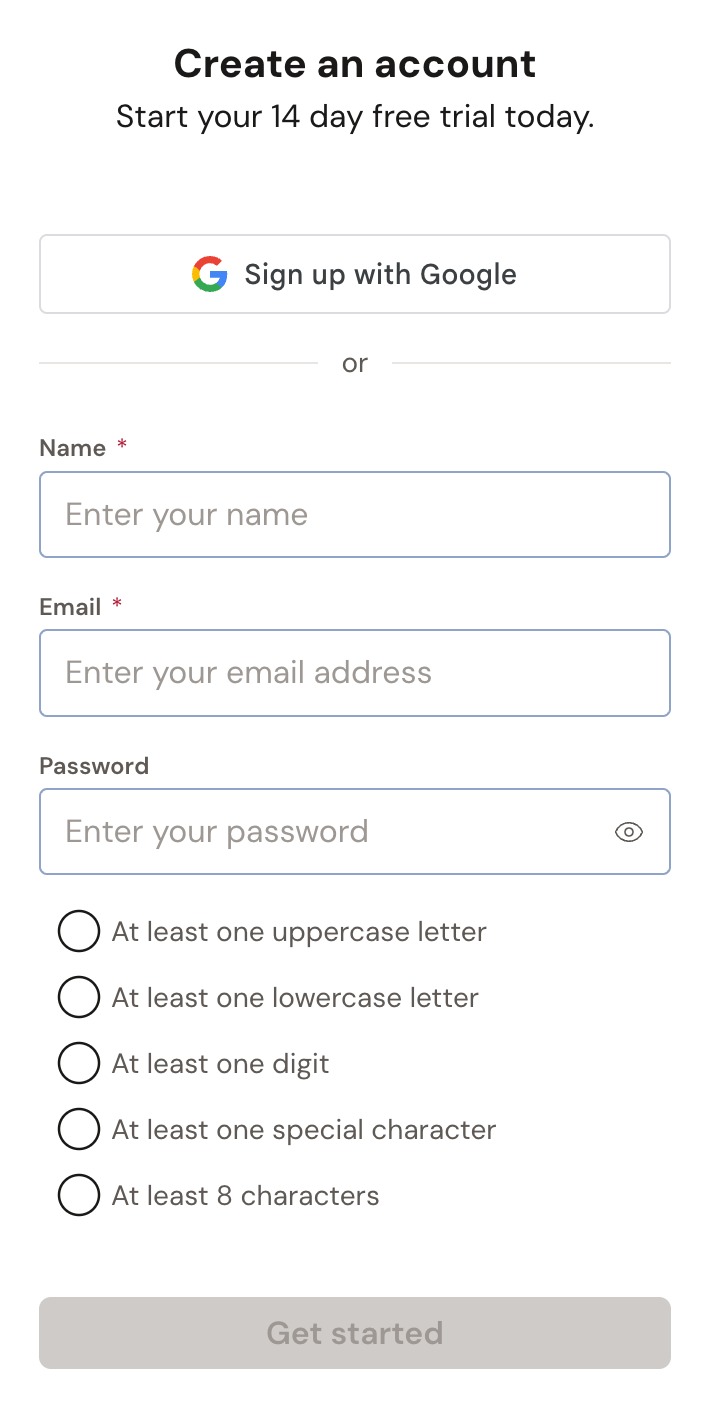
Your password needs at least one uppercase letter, one lowercase letter, one digit, and one special character, and it has to be between 8 and 32 characters. The form checks as you type.
Already have an account? The Login link at the bottom of the page takes you to sign-in. See Sign in and reset your password.
Tell Dabble a little about you
Section titled “Tell Dabble a little about you”Right after you sign up, Dabble asks two quick questions.
First, How did you find us? Click the tile that fits: Internet Search, AI Recommended, Social Media, Word of Mouth, Blog/Website, DabbleU, or Other. Dabble moves on the moment you pick. Choose Other and a text box appears, plus a Next button to continue.
Then, What genres do you write? Click your genre and you’re done. A Previous button sits below the tiles if you want to go back a step.
That’s the whole of onboarding. Two clicks and you’re through.
What the free trial includes
Section titled “What the free trial includes”New accounts that sign up on their own get a 14 day free trial. As the writing app puts it: “No credit card required.”
The trial is a real subscription for two weeks. Unlimited projects, plotting and character tools, focus mode and daily goals, and automatic cloud sync with backups across your devices.
Your billing portal shows the end date next to Trial ends.
If you do nothing, the trial ends on its own. There’s no card on file, so nothing is charged. To keep writing after day 14, pick a plan before the trial runs out. Dabble’s plans are Writer, Author, and Bestseller, and the plan grid pulls the current names and prices straight from Dabble’s billing system.
Invited to someone else’s project as an editor, beta reader, reviewer, or reader? Your account is free and skips the trial entirely. Co-authors are authors, so they start a trial like everyone else.
For the details on plans, prices, and billing intervals, see Plans and pricing.
Signing up through a friend’s referral link? Their code applies at signup and only at signup, so use the link the first time rather than adding the code later. See Share Dabble with a friend.
Where Dabble lives
Section titled “Where Dabble lives”Dabble is two addresses, and it helps to know which is which.
| Address | What’s there |
|---|---|
app.dabblewriter.com | The writing app: your dashboard, your projects, your manuscript. |
accounts.dabblewriter.com | The account portal: sign-in, password, profile, plan, and billing. |
When you sign up straight from the account portal, Dabble drops you at your billing portal once onboarding is done. Click Go To Dabble Writer in the sidebar to head into the app.
When you sign up from a link inside the writing app, Dabble sends you back there automatically. Either way, you land on your dashboard, and the next move is your first project.
The desktop and mobile apps use the same account. Sign in once on each, and your words follow you.