

What is Dabble?
You’re writing a novel. That means a manuscript, a pile of plot notes, a character whose eye color keeps changing, and a folder system that made sense three months ago.
Dabble puts all of it in one place.
It’s a writing app built for novelists. You plot your story, organize your manuscript, and get the words down, and everything saves and syncs as you go. No save button to remember. No files to lose.
A home for your whole novel
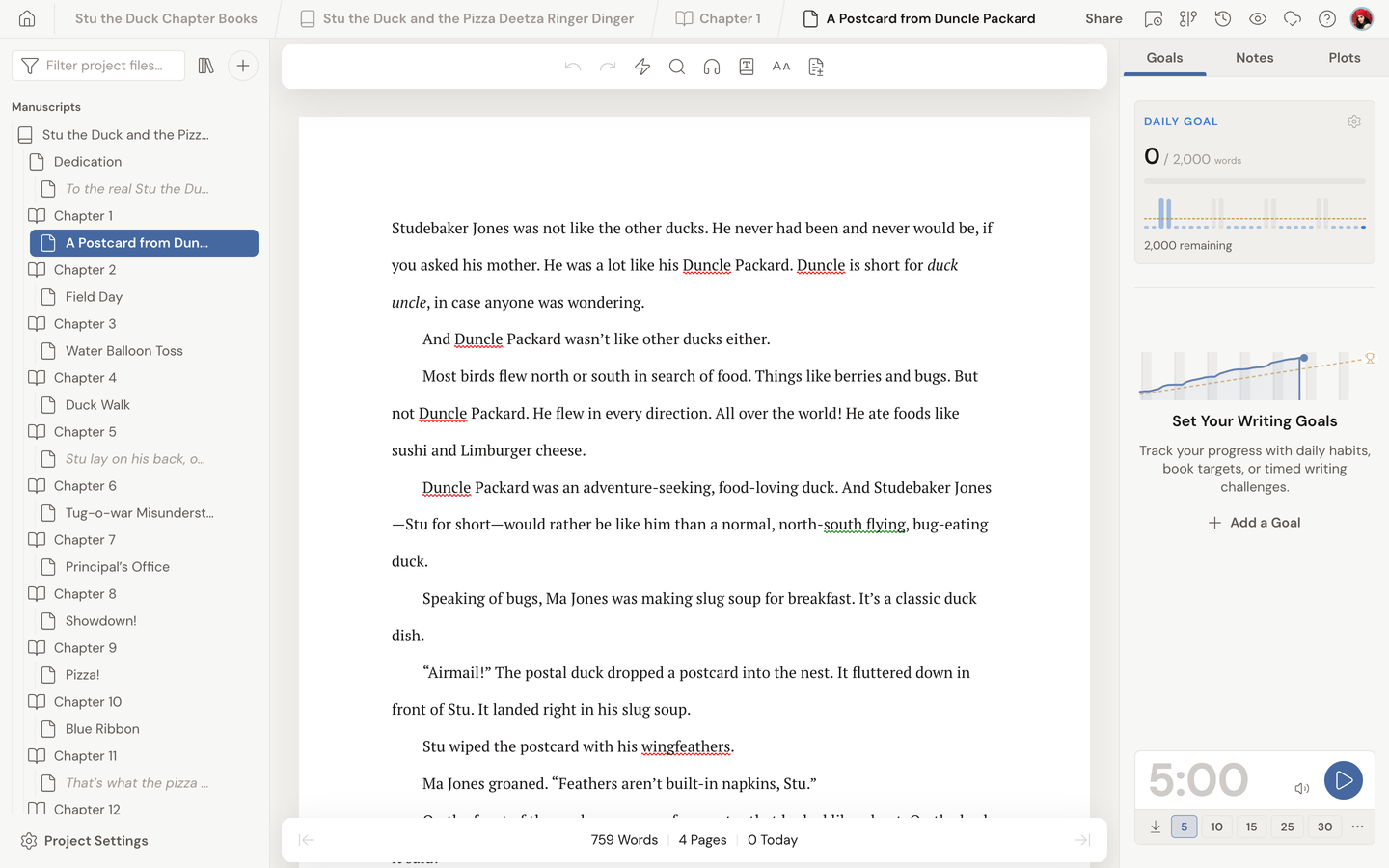
Section titled “A home for your whole novel”In Dabble, your work lives in a project. One project holds your whole novel, organized into books, chapters, and scenes.
Story changing shape on you? Drag things around. The structure bends whether you plan every beat upfront or discover the story as you write and reorganize it later during editing.
Around your manuscript, Dabble keeps the rest of your story close at hand: plotting tools, characters, story notes, writing goals, and export tools, all inside the same project.
No formatting to set up. No templates to wrestle. You just write.
Plot, plan, and stay focused
Section titled “Plot, plan, and stay focused”The Plot Grid lays out your main storyline alongside your subplots and character arcs. You see how the threads of your novel weave together at a glance.
It’s there when you want to plan. It’s out of the way when you don’t.
When it’s time to write, Dabble keeps the screen clean and the distractions low so you can stay in the story.
Set a word-count goal and track your progress toward it day by day. A big project stops being a mountain. It becomes a series of reachable steps.
Your projects live on the dashboard
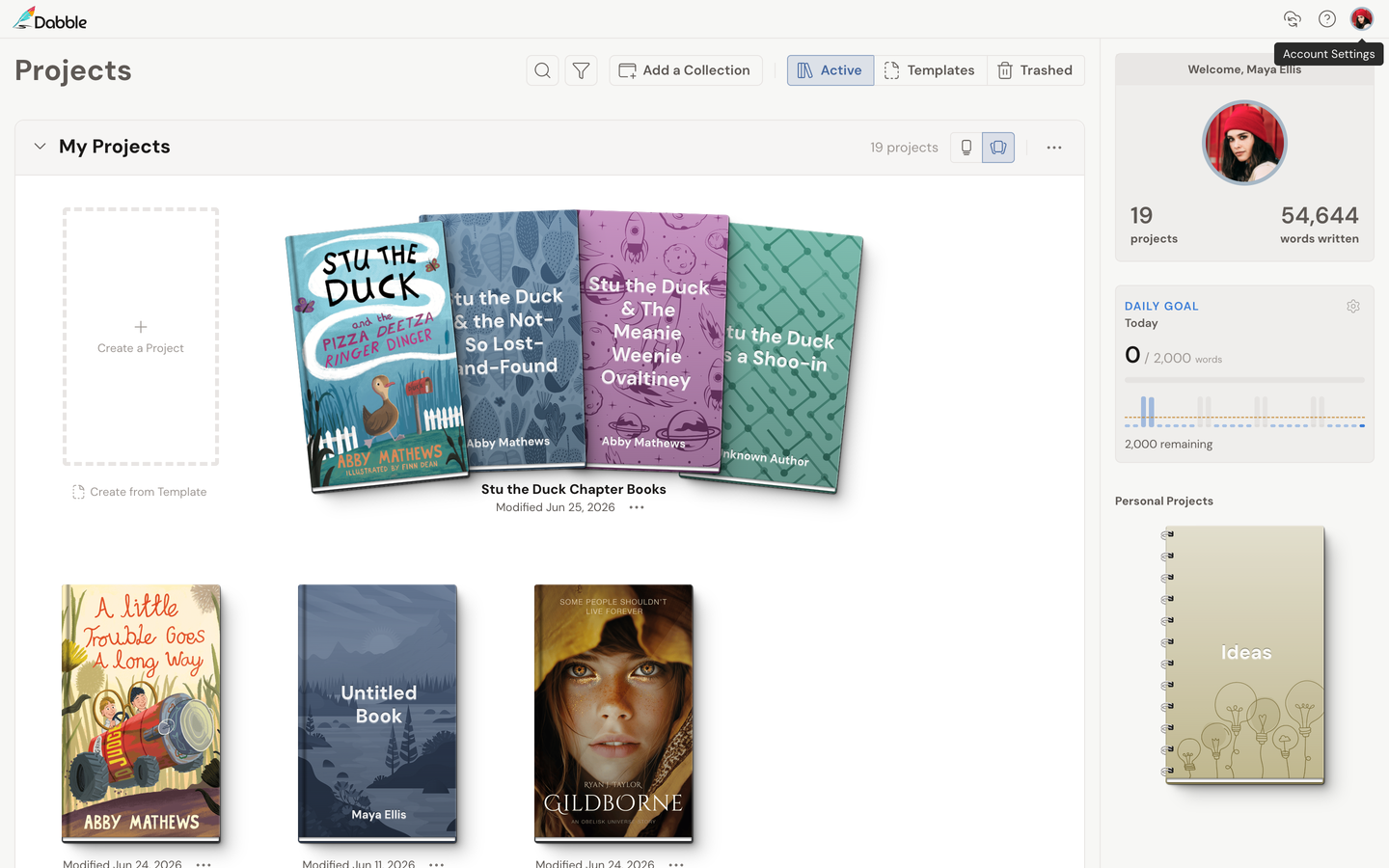
Section titled “Your projects live on the dashboard”Open Dabble and you land on your dashboard, the home screen that shows all your projects.
Projects are grouped into collections. Everyone starts with a default collection called “My Projects”. Add more, rename them, drag projects between them, and organize your work however you like.
When someone shares a project with you, it shows up automatically in a “Shared with Me” collection. Your own books and your collaborations stay neatly separated.
Free ideas, paid projects
Section titled “Free ideas, paid projects”Dabble has a free tier built around the Ideas notebook, a place to jot down story ideas any time without a subscription. As the app puts it, “Your Ideas notebook is free, forever.”
Turning one of those ideas into a full project is part of a paid subscription. That’s where you unlock unlimited projects, plotting and character tools, focus features, daily goals, and cloud sync with backups.
Synced, backed up, and ready to share
Section titled “Synced, backed up, and ready to share”Every change you make saves on its own. There’s no save button, and your work backs up to the cloud as you write. A connection indicator in the header shows you the live sync status.
Because your work lives in the cloud, it follows you. Open the same project on your laptop, your desktop, and your phone, and pick up right where you left off.
Writing with someone else? You can share a project with another writer to plan or co-author together.
Where Dabble runs
Section titled “Where Dabble runs”Dabble works right in your web browser, and there are installable apps for desktop and mobile. Whichever you use, it’s the same project and the same synced words.
To use Dabble, you sign in at accounts.dabblewriter.com/auth/login.