

Share Dabble with a friend
Writers know other writers.
Maybe someone in your critique group is still wrestling their word processor. Maybe a friend keeps asking how you keep your plot straight. Either way, you can bring them along.
The Share Dabble page in your account gives you two ways to do it. Send a referral that takes $20 off their subscription. Or give them a gift card that covers their plan for a set time.
Open Share Dabble
Section titled “Open Share Dabble”Share Dabble lives in your account settings.
- In Dabble, click your avatar in the top-right corner and choose Profile.
- In the sidebar, click Share Dabble.
In a hurry? Go straight to accounts.dabblewriter.com/account/share.
You’ll see two cards side by side: Refer a friend and Give Dabble as a gift.
Still have an old bookmark to the Refer a Friend page? It still works. It brings you here.
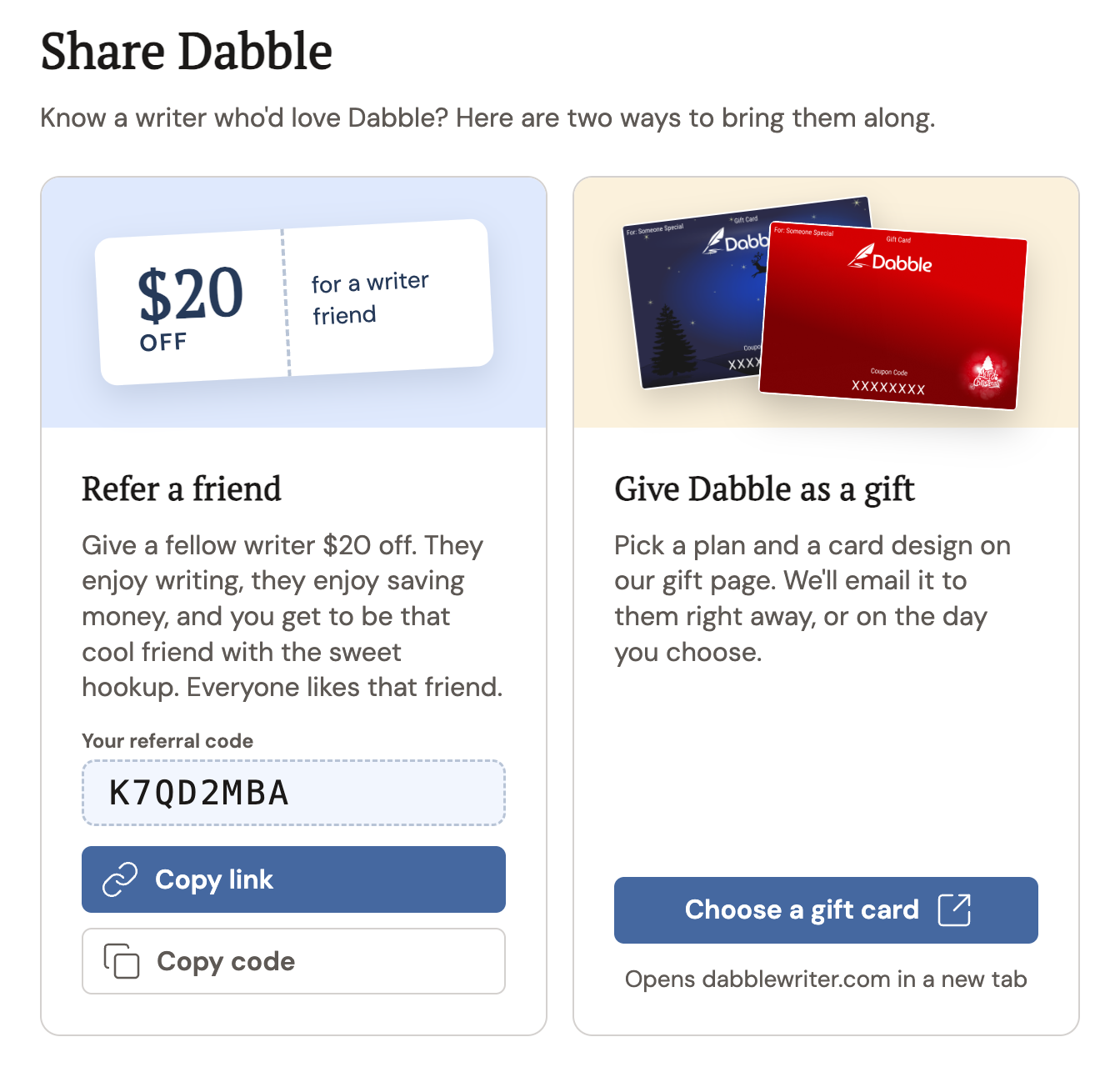
Get your referral code or link
Section titled “Get your referral code or link”Your referral code is tied to your billing account. No trial, no plan, no code.
If you haven’t set one up yet, the Refer a friend card shows a warning instead of a button. Click Set up billing, start a trial or pick a plan, then come back.
- On the Share Dabble page, find the Refer a friend card.
- Click Get my referral code. Your code appears in the Your referral code field.
- Click Copy link or Copy code to grab whichever one you want to share.
The button switches to Link copied or Code copied for a moment, so you know it worked.
You only do this once. After that, Get my referral code is gone, and the same code is yours from then on.
Share it with a friend
Section titled “Share it with a friend”You’ve got two things to share, and they do the same job:
- The link is the easy one. Your friend clicks it, lands on the Dabble signup page, and your code rides along behind the scenes. Nothing for them to type.
- The code is for when a link won’t do. Drop it in a text, a DM, or read it aloud on a writing sprint call. Your friend can enter it themselves when they set up billing.
Send whichever fits. A link in an email, the code in a group chat, your call.
What your friend gets
Section titled “What your friend gets”A $20 discount on Dabble, applied to their subscription as soon as they create the account.
Worth knowing: the signup page looks identical whether they opened it from your link or not. No banner, no discount line, nothing to confirm. The code travels quietly with their browser session and lands on the subscription once the account exists. So if a friend tells you “I didn’t see anything about a discount,” they didn’t miss it.
Already a Dabbler when they click your link? They’ll get an Apply your referral window instead, which puts the code on the subscription they already have.
And the one catch: referral codes are for writers who haven’t paid for Dabble yet. If your friend has already been charged for a subscription and tries the code later under Apply Coupon, they’ll see Referral codes can only be used on new accounts. Your own code won’t work on your own account either, so don’t bother trying.
Give Dabble as a gift
Section titled “Give Dabble as a gift”Sometimes $20 off isn’t quite the present you had in mind. A Dabble gift card covers their plan for a set time, so all they have to bring is the book.
Gift cards live on our website, where the plans and prices are always current.
- On the Share Dabble page, find the Give Dabble as a gift card.
- Click Choose a gift card. Our gift page opens in a new tab.
- Pick a plan under Choose a plan and a design under Choose a card.
- Under Who’s it for?, fill in their name and email, then yours under From and Your email.
- Choose when it should arrive: Right away or On a date.
- Click I’m ready, buy now and pay on Stripe.
We email the card to your friend on the day you picked. We copy you on it too, unless you gave the same email for both of you.
The card holds a one-time code. Your friend enters it when they pick a plan, or under Apply Coupon if they already have a subscription. Apply a coupon or discount code walks through both.
You don’t need to be signed in to buy a gift card. The gift page is open to everyone at dabblewriter.com/store/gift-subscriptions.