

Update your payment method
Cards expire. Banks reissue them. The number Dabble has on file can quietly go stale between one renewal and the next.
Keep a current card on file and your subscription renews without interruption. You add, change, or remove it in the billing portal.
Dabble uses Stripe to process payments, so your card details stay secure and are never stored by Dabble directly.
Before you begin
Section titled “Before you begin”Your billing settings live in your Dabble account, which is separate from the writing app. You open it from the writer and land signed in.
Bought your subscription through the Apple App Store or Google Play? Then your card is managed by that store, not here. Update it in your App Store or Google Play account instead.
Add, change, or remove a card
Section titled “Add, change, or remove a card”- In the writer, click your avatar in the top-right corner.
- Click Billing. This opens your billing portal in a new view.
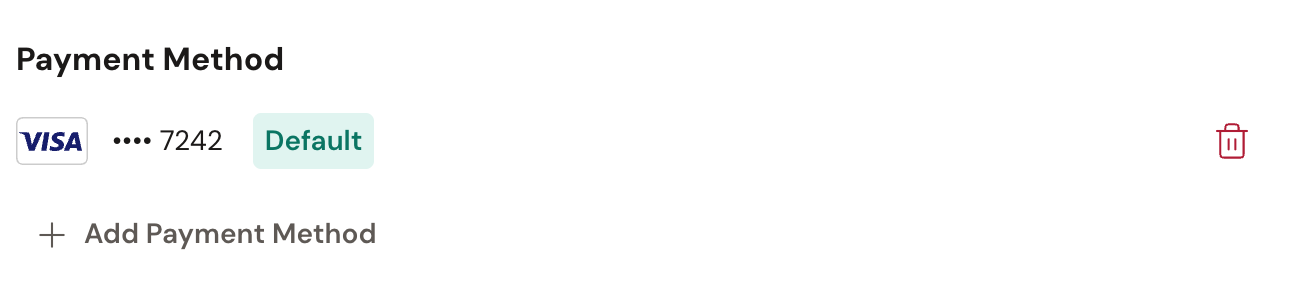
- Scroll to the Payment Method section.
- To add a card, click Add Payment Method and enter your card details in the Stripe form.
- To make a saved card the one you’re charged, click Set as Default on that card. The default card shows a Default label.
- To remove a card you no longer use, click Remove Payment Method on that card.
Your new card is charged on your next renewal, and at the end of your free trial if you’re still in one.
Fix a past-due payment
Section titled “Fix a past-due payment”A charge can bounce for the dullest reasons. An expired card. A bank holiday. A daily limit.
If a payment has already failed, you may see Past Due on your plan and the warning “Your payment is past due. Please update your payment method.” Add a working card, then click Retry payment to settle the open invoice.
When you add a card while an invoice is unpaid, Dabble asks “Retry the unpaid invoice?” Choose Retry payment to charge the new card right away, or Not now to wait until your next renewal.