

Use the writing timer for sprints
You sit down to write. Then you check email, top off the coffee, straighten one thing on your desk, and somehow the page is still blank.
A sprint fixes that. You set a clock, race it, and try not to lift your hands until it beeps.
Dabble’s Timer runs the countdown, chimes when time’s up, and counts every word you wrote. Your job is just to keep typing.
Before you begin
Section titled “Before you begin”The Timer lives in the Goals tab, part of Dabble’s paid Goals feature. No Goals tab in the right sidebar? Your plan may not include it.
The timer saves to the device and browser you’re using. So your last sprint length and mute setting stay put here. They won’t follow you to another computer.
Run a sprint
Section titled “Run a sprint”Here’s the whole loop, from first click to final chime.
- Open a project and click the Goals tab in the right sidebar.
- Scroll to the bottom of the Goals panel to find the Timer.
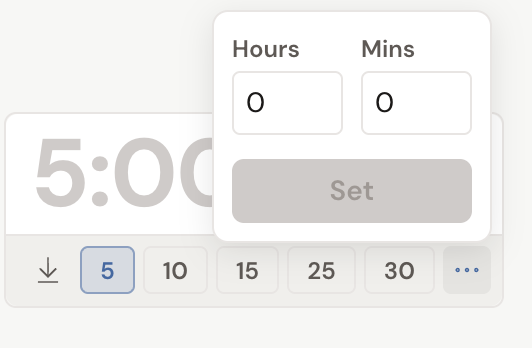
- Pick a sprint length. Tap one of the presets (5, 10, 15, 25, or 30 minutes), or tap the ellipsis button, enter your own Hours and Mins, and click Set.
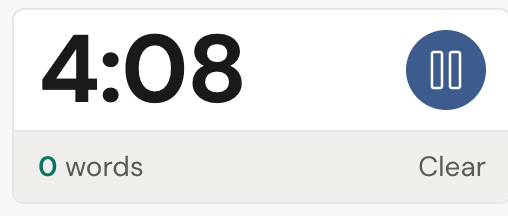
- Press the play button. A 3 / 2 / 1 / Go! countdown plays, then the timer starts.
- As you write, the timer shows your live word count for this lap and the lap number. Press pause to take a break, or Clear to cancel the sprint.
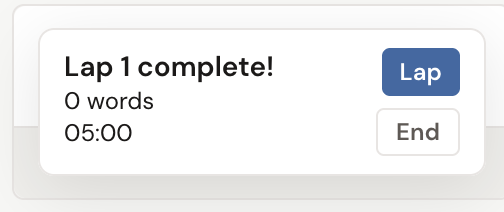
- When time runs out, a chime sounds and a Lap {number} complete! card shows that lap’s words and duration. Click Lap to start another sprint right away, or End to finish the session.
Track your session
Section titled “Track your session”One lap is a sprint. A string of them is a session, and the Session panel keeps the running tally.
It sits above the timer and adds up your total words and total time across every lap in the current session. Expand it to see each lap on its own: the words written, how long it ran, and when it finished. Click Clear Session to wipe the history and start fresh.
Per-lap words are measured against your project’s word count at the moment the lap started. So each sprint counts only what you wrote during that sprint.
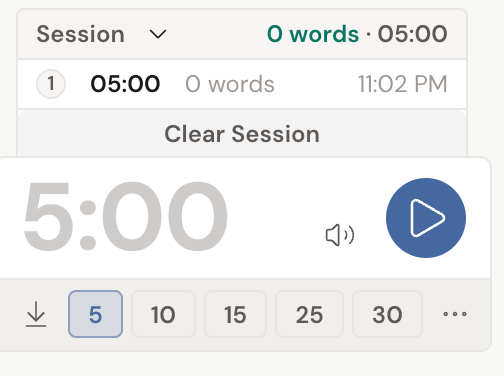
- To silence the countdown and finish chimes, click the speaker icon (Mute chime). Click it again (Unmute chime) to bring the sound back.
- Need the space? Collapse the timer with the arrow button (Hide Timer) and it keeps counting out of sight. Click Show Timer to bring it back.
- Short sprints build momentum. Many writers start with a 15 or 25 minute lap, then chain a few together using the Lap button.
- Sprinting works well alongside Focus Mode, which clears the rest of the screen so only your page and the timer remain.