
Keyboard shortcuts
Your hands are on the keyboard. The scene is finally flowing. Then you reach for the mouse to open another document, and the spell breaks.
Shortcuts keep your hands where they belong. This page lists the ones Dabble knows, for Mac, Windows, and Linux.
One rule makes the tables below easy to read. On Mac, the modifier is Cmd. On Windows and Linux, it’s Ctrl. When a shortcut adds a third key, that key is Option (also labeled Alt) on Mac and Alt on Windows.
We’ll cover:
- General: open your project and force a save
- View and layout: clear the sidebars, status bar, and screen
- Writing features: flip spell check, grammar, comments, track changes, and more on or off
- In Quick Open: move through search results without the mouse
- See your shortcuts in the app: pull up the list while you write
General
Section titled “General”| Action | Mac | Windows / Linux |
|---|---|---|
| Quick Open (search your project) | Cmd+K | Ctrl+K |
| Save / Sync | Cmd+S | Ctrl+S |
Saving runs automatically as you write. Cmd/Ctrl+S forces an immediate save and sync, then shows a Saved confirmation.
See The command palette (Quick Open) for what Quick Open can find.
View and layout
Section titled “View and layout”Need more room to think? Clear it with a keystroke.
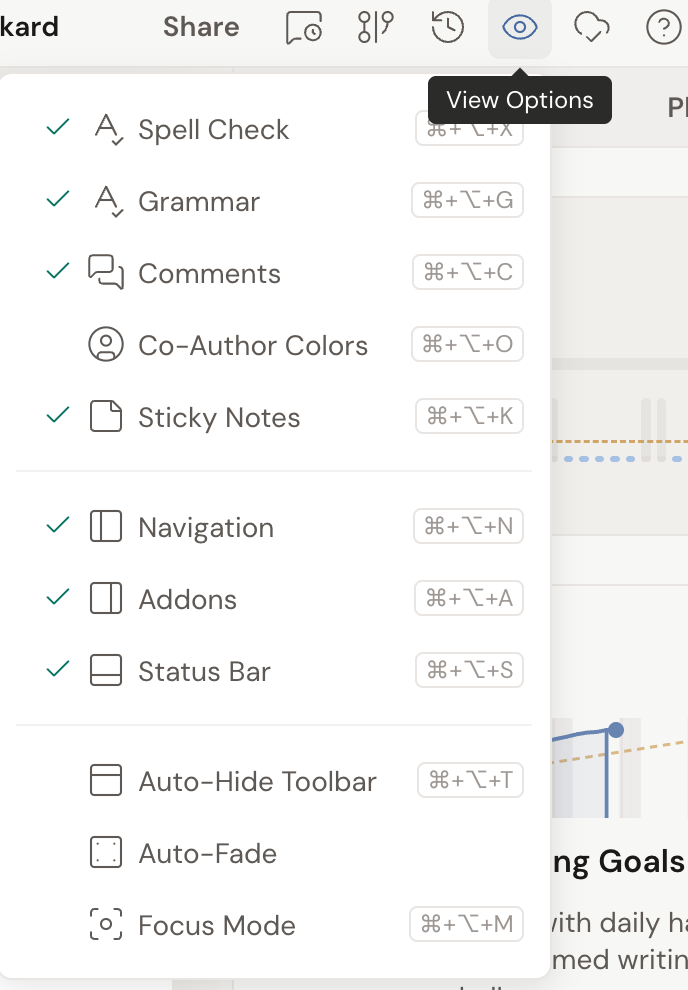
Every shortcut here matches an item in View Options (the eye icon in the header). Each one toggles on or off, and shows a checkmark in the menu when it’s active.
| Action | Mac | Windows / Linux |
|---|---|---|
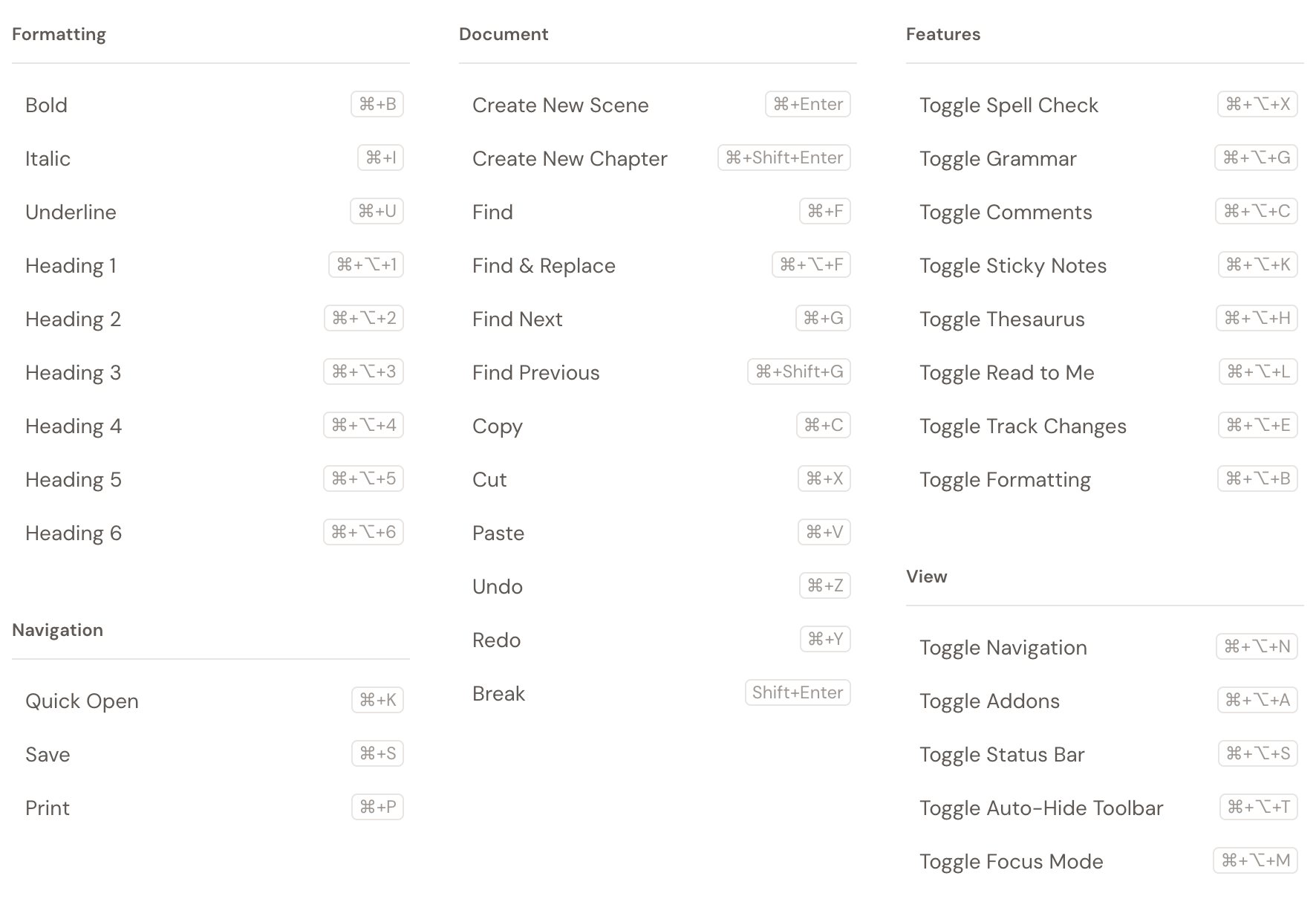
| Toggle Navigation (left sidebar) | Cmd+Opt+N | Ctrl+Alt+N |
| Toggle Addons (right sidebar) | Cmd+Opt+A | Ctrl+Alt+A |
| Toggle Status Bar | Cmd+Opt+S | Ctrl+Alt+S |
| Toggle Auto-Hide Toolbar | Cmd+Opt+T | Ctrl+Alt+T |
| Toggle Focus Mode | Cmd+Opt+M | Ctrl+Alt+M |
In Focus Mode, press Esc to exit, or click the floating X at the top-left of the editor.
Some of these are settings too, not just shortcuts. Auto-Hide Toolbar sits alongside Auto-Fade and Typewriter Scrolling in the Preferences window, where you set them once and leave them.
Writing features
Section titled “Writing features”These flip your writing helpers on and off as you write. The first four also live in View Options.
| Action | Mac | Windows / Linux |
|---|---|---|
| Toggle Spell Check | Cmd+Opt+X | Ctrl+Alt+X |
| Toggle Grammar | Cmd+Opt+G | Ctrl+Alt+G |
| Toggle Comments | Cmd+Opt+C | Ctrl+Alt+C |
| Toggle Sticky Notes | Cmd+Opt+K | Ctrl+Alt+K |
| Toggle Track Changes | Cmd+Opt+E | Ctrl+Alt+E |
| Open the Thesaurus | Cmd+Opt+H | Ctrl+Alt+H |
In Quick Open
Section titled “In Quick Open”Once the Quick Open search box is up, keep your hands on the keys. These move you through the results:
| Action | Key |
|---|---|
| Move down | Down arrow |
| Move up | Up arrow |
| Open the selected result | Enter |
| Close Quick Open | Esc |
The same hints run along the bottom of the Quick Open box, so you never have to memorize them.
See your shortcuts in the app
Section titled “See your shortcuts in the app”No need to keep this page open in another tab. Dabble can show you its shortcuts without you ever leaving your manuscript.
- Open the Help menu (the ? icon in the header).
- Click Shortcuts.
A window opens with the full list, grouped by area like Formatting, Document, and View. Close it and you’re right back in your draft.