

How Dabble organizes your story
You open a fresh project and the left panel is already busy. A manuscript. Some plots. Characters. A notebook. Where does the actual book go, and where does that sprawling map of your invented kingdom belong? Here’s how Dabble organizes your story, so you never have to guess.
The rule underneath everything: Dabble keeps the words you’ll publish separate from everything else you write to support them. Your manuscript holds the story itself. Dedicated sections like Characters and Notebook hold the people, places, and research behind it.
We’ll cover:
- The manuscript is what you publish: books, chapters, and scenes, the part readers see
- Plots track what happens: map your events on the Plot Grid
- Characters and Notebook hold everything else: your cast, worldbuilding, and research
- A few more places to capture material: Notes, Stickies, and Ideas for stray thoughts
The manuscript is what you publish
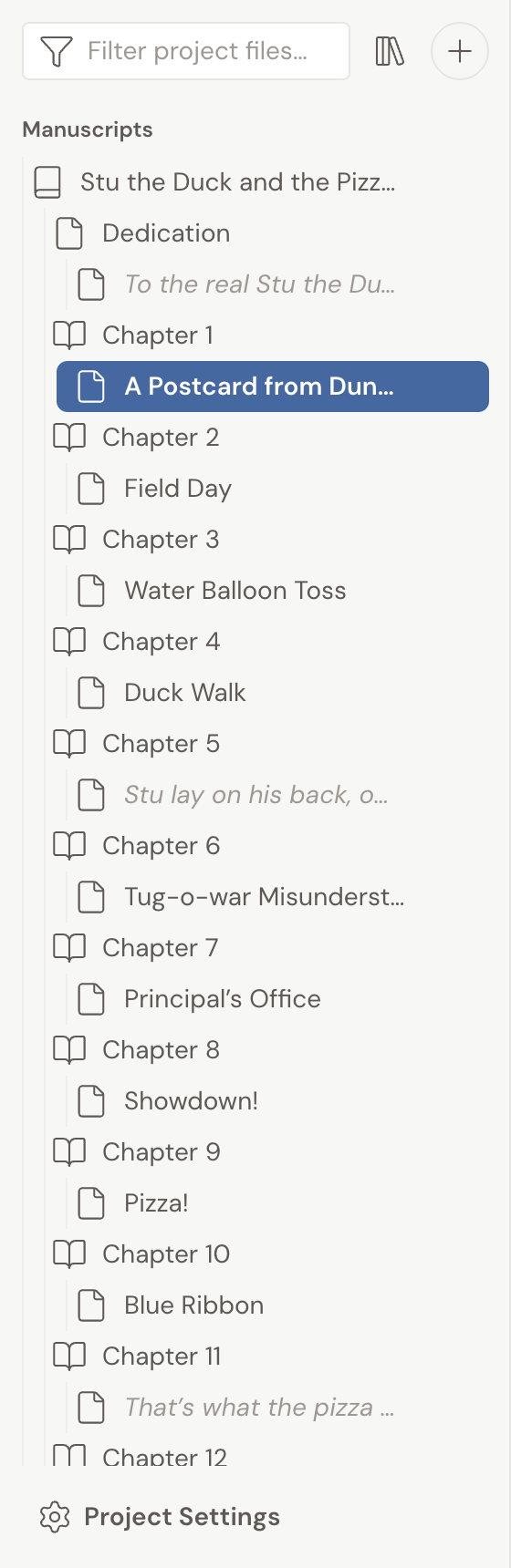
Section titled “The manuscript is what you publish”The Manuscript is the part of your project readers will eventually see: your books, chapters, and scenes. Everything inside it is one of two things: a container, or a piece of writing.
- A book or chapter is a container. It holds other items but has no text of its own.
- A scene is where you actually write. Each scene is saved and edited on its own.
A chapter reads as one continuous page. But every scene under it is a separate piece. That’s what lets you focus on a single scene, drag scenes to reorder them within or between chapters, and see your whole structure at a glance in the left panel.
Plots track what happens
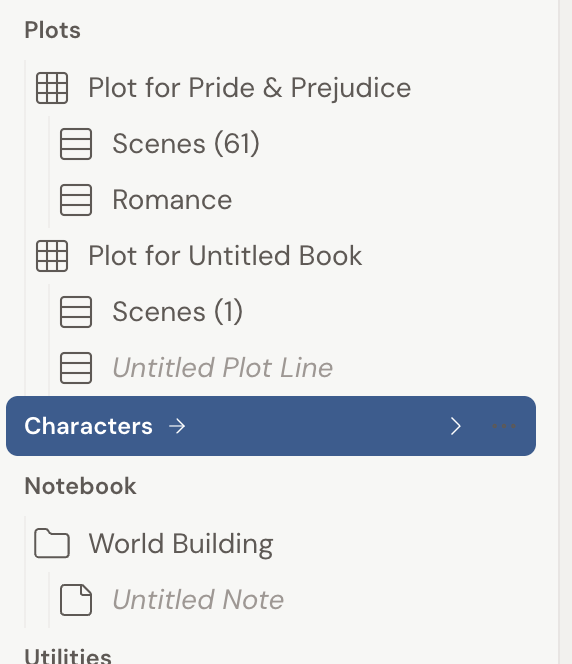
Section titled “Plots track what happens”Plots is where you map out your story events and arrange them visually with the Plot Grid. It sits between your manuscript and your supporting sections, so you can plan the shape of the story without touching the prose.
Characters and Notebook hold everything else
Section titled “Characters and Notebook hold everything else”Older versions of Dabble kept all your supporting material in one place called “Story Notes.” Dabble now splits that material into clearer, separately-labeled sections in the left panel.
- Characters is where your cast lives. You group characters into Casts (for example, Main Characters and Supporting Characters) and give each one a profile with traits, motivations, and backstory.
- Notebook is your free-form space for everything else: worldbuilding, magic systems, locations, factions, research you’ve pasted or linked, and brainstorms that don’t yet have a home. You organize it with Folders and Notes.
Both sit below Plots in the left panel. Together they cover the same ground the old “Story Notes” area did, just with a place for each kind of material.
A few more places to capture material
Section titled “A few more places to capture material”Ideas rarely arrive when it’s convenient. So beyond the main sections, Dabble gives you smaller, focused tools for catching them as they come:
- Notes are index-card style annotations you attach to a specific scene, character, or Notebook page. They appear in a Notes tab in the right sidebar.
- Stickies are draggable sticky notes that float beside the page you’re working on.
- Ideas is a separate space on your dashboard for capturing thoughts before they belong to any one novel, which you can later move into a novel’s Notebook.